FAQ
How does this work?
Carriers track hotspot usage separately from phone data. FastNet Connect routes your Mac's traffic through ProxyDeck's optional Mac Bridge — over USB or nearby peer-to-peer Wi-Fi. To the carrier, it looks like regular phone data, so it uses your unlimited phone data instead of your limited hotspot allowance.
How is this different from PDANet+?
PDANet+ pioneered this approach years ago and still works for some users. The differences: FastNet Connect is a native macOS menu bar app, ProxyDeck is built for modern iOS, and the setup requires no terminal or manual proxy configuration. If PDANet+ already works for you, no need to switch.
Why pay $29 if I can do this with iproxy + a SOCKS5 server?
You can. iproxy 1082 1082 plus a SOCKS5 server on iPhone is the same idea, free, and well-documented. FastNet is for people who want it to just work without terminal commands, manual port forwarding, or remembering to set the system proxy each time. If you're comfortable in terminal and only need it occasionally, the manual setup is fine.
Will this be detected by my carrier?
Tethering detection usually relies on TTL inspection, User-Agent fingerprinting, and DNS heuristics. Because ProxyDeck's Mac Bridge uses the phone's TCP stack, traffic originates from the same network stack as other iPhone apps. No tool guarantees invisibility, and carriers may still infer usage from traffic patterns.
What speeds can I expect?
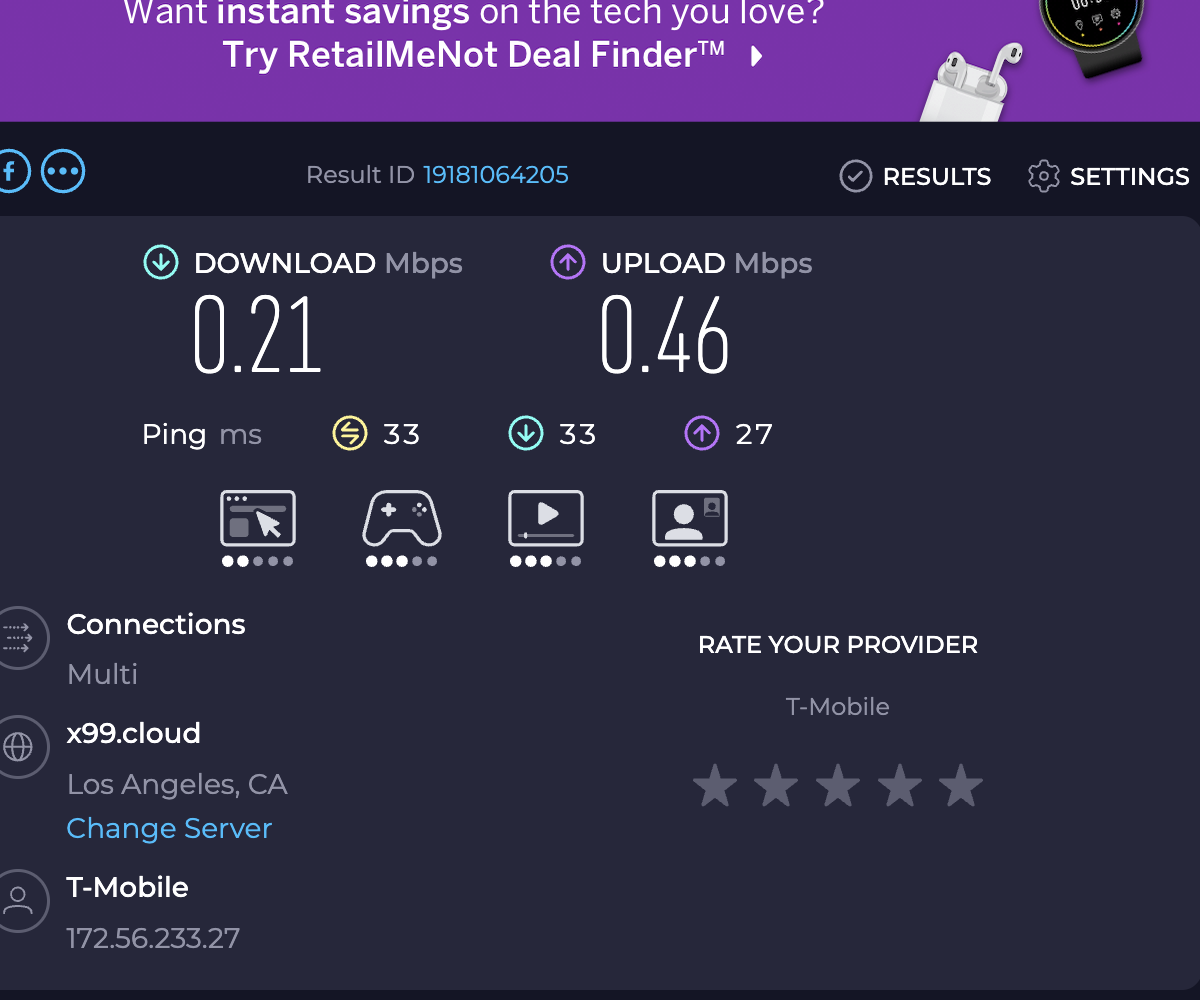
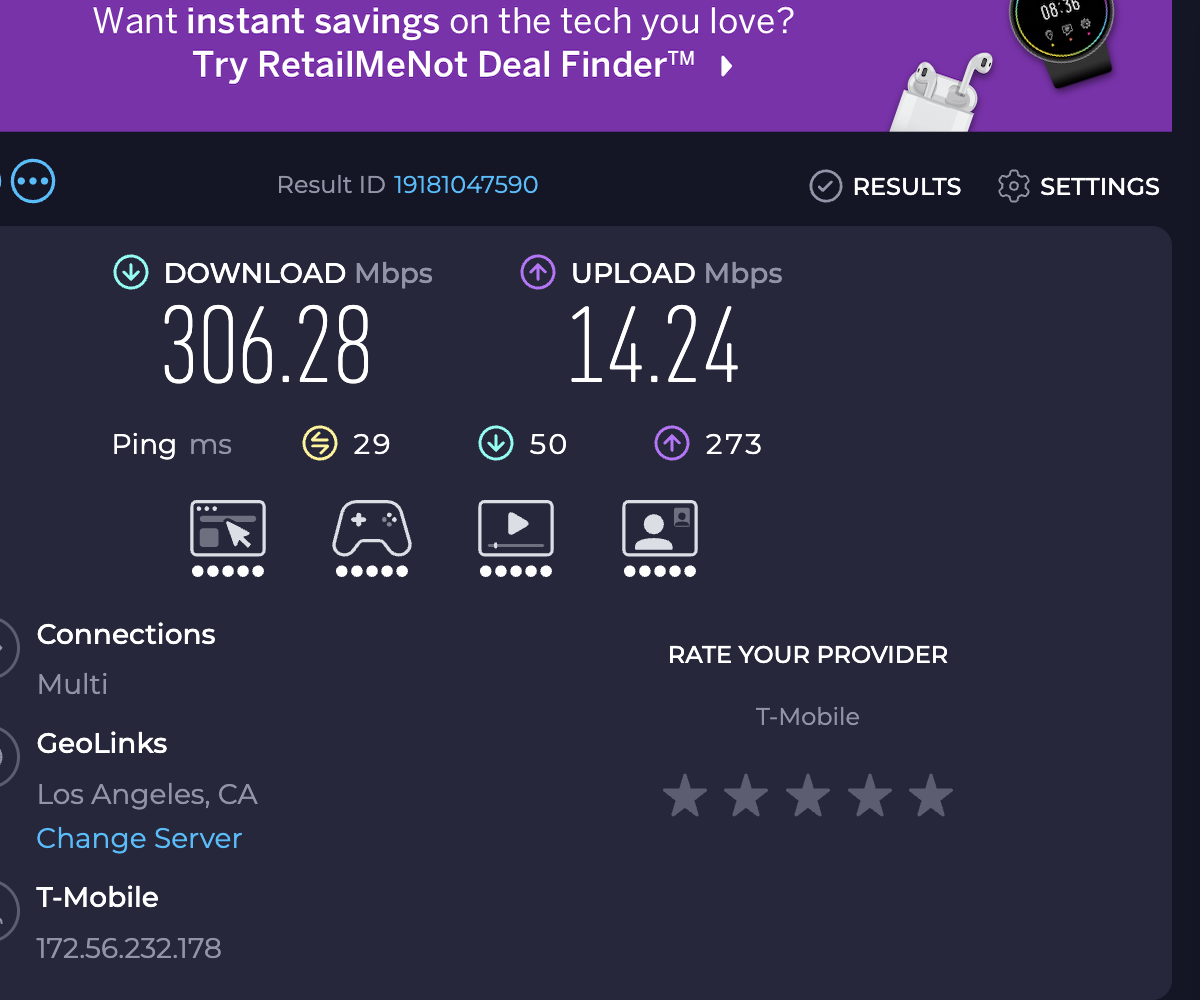
Lightning-port iPhones cap around 280–320 Mbps because Lightning is USB 2.0. USB-C iPhones (15 Pro and later) can push gigabit if your cellular signal supports it. Real-world speeds depend on tower congestion and signal strength.
Is this legal?
FastNet is a standard SOCKS5 proxy — the same technology used by millions of developers daily. How you use your cellular data is between you and your carrier. We recommend reviewing your carrier's terms of service.
USB or Wi-Fi — which should I use?
Either works. USB is a direct cable link between your Mac and iPhone: most reliable, lowest latency, and the phone charges while connected. Wi-Fi is a direct device-to-device link (like AirDrop) — no cable, and you don't need to be on any network, just have Wi-Fi on. Either way your Mac's traffic leaves the phone as ordinary phone data, not tethered hotspot data.
Does it work with all carriers?
Yes. FastNet works with T-Mobile, Verizon, AT&T, Mint Mobile, Visible, Cricket, and others. If your plan has limited hotspot data but unlimited phone data, FastNet lets you use the full allowance.
What about Windows / Linux?
Currently Mac only. Windows and Linux support are on the roadmap based on demand.
Do I need to jailbreak my iPhone?
No. FastNet works on stock iOS 16+, no jailbreak needed.
Is my data safe?
Yes. Everything runs locally on your devices. FastNet has no servers, collects no data, and requires no account. Your traffic goes directly from Mac to iPhone to carrier — we never see it.
What if it doesn't work for me?
We offer a 30-day money-back guarantee, no questions asked. Email us at pjiang726@gmail.com.